
Summarize with AI





A weekly review keeps a rental work log usable without asking you to document every task perfectly on the first try. Set aside a short, repeatable block of time. Read the newest entries, fix what is still fresh, and leave older questions visible instead of guessing.
The routine works best before the week disappears into the next one. Friday afternoon, Sunday evening, or the same quiet morning each week can all work. The exact day matters less than having a dependable return point.
Start with the newest record
Review in reverse order, beginning with the most recent activity. Memory and source material are usually strongest there. You may still have the receipt in your bag, the contractor message open, or the repair photo near the top of your camera roll.
For each record, confirm:
- the correct property and tax-year workspace;
- the date and actual duration;
- the person who performed the work;
- a category that fits the activity;
- a note that states the task and result; and
- any open follow-up.
Most entries will need no change. Keep moving. The review should not turn a sound two-sentence note into a long narrative.
When a note is vague, use the method in How to Write a Rental Work Note Someone Else Can Understand: identify the action, result, and unfinished next step.
Sort issues into fix now or follow up
Some gaps take seconds to correct. A property was selected incorrectly. A cleaner was recorded as the owner. The duration still contains a rounded placeholder even though the timer result is available. Fix those facts while you can verify them.
Other gaps require a source or another person. Put those in a small follow-up list rather than interrupting the whole review. Examples include asking a contractor which unit was serviced or finding the invoice that identifies a replaced part.
Keep that list short and specific:
- confirm who attended the Oak Street inspection;
- find the receipt for the kitchen faucet; or
- ask the cleaner whether the linen delivery and turnover were separate visits.
Each item names a question you can resolve. “Fix records” does not.
Check for work that never became a record
Once the saved entries are clean, look for obvious omissions. Review only the past week, not the entire year.
A calendar, messages, photos, receipts, and vendor invoices can act as memory clues. Use them carefully. A scheduled plumbing visit shows what was planned, while the plumber’s invoice or your follow-up message may show what happened. A one-hour calendar event does not establish one hour of work.
If a clue refreshes your memory, create a record from the facts you can confirm. If you cannot confirm the duration or outcome, keep the gap on the follow-up list. The goal is a better record, not a filled square for every day.
Review people and duplicated work
Shared rental operations create a common weekly error: the activity is recorded, but the wrong person receives the time. Read the contributor field as a factual statement. Who performed the work described in this record?
If an owner coordinated with a contractor, those are different activities. The owner’s call and the contractor’s repair should not become one blended duration. Record them separately when both matter to the operational history.
Then scan for duplicates. Repeating a prior activity can save time, but the copied draft still needs a new date, duration, result, and contributor check. Evidence from the old record should not follow automatically to the new one.
Leave evidence as a deliberate choice
Supporting context is optional. During the weekly review, add a receipt, photo, PDF, or reference only when it helps explain a specific activity.
Do not chase an attachment for every routine message or supply run. Evidence coverage is a review signal, not a score that must reach 100 percent. A useful note may stand on its own, while a repair with an invoice and after-photo may benefit from both.
The article on choosing a receipt, photo, or PDF gives examples of what each source can add.
End with a clean handoff to next week
Finish the review by checking three things: all quick corrections are saved, the follow-up list names its next actions, and any active timer has been finished or discarded correctly.
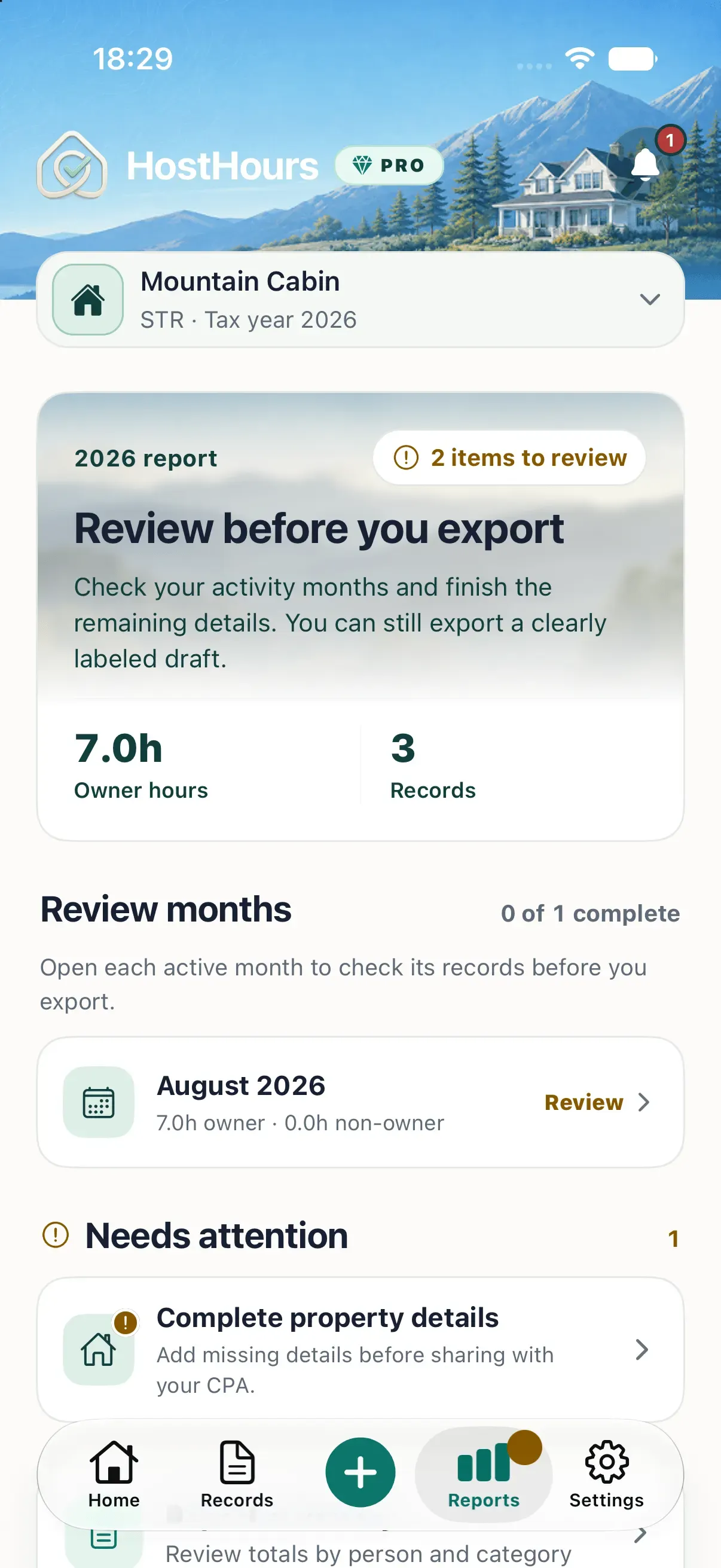
Do not finalize an open month simply because the weekly review is complete. Month finalization is a separate decision after the period ends. HostHours lets you review a month, finalize it to prevent ordinary edits, and explicitly reopen it if a correction is later required.
A weekly reminder can support the habit. HostHours includes weekly logging, month-end review, and tax-season reminder types, each with its own schedule and destination. The reminder brings you back; the review still depends on your confirmation of the facts.
For this week, schedule one fifteen-minute block and review only the records created since the previous one. A small routine that survives busy weeks is more useful than an elaborate process you avoid.
Note: This article provides general educational information about recordkeeping. It is not tax, legal, or accounting advice.
Clear answers
Frequently asked questions
How often should I review a rental property work log?
A brief weekly review is frequent enough to catch most gaps while the work is still familiar. A separate month-end review can then focus on the month as a whole.
How much time should a weekly work-log review take?
A current log may take only ten to fifteen minutes. A longer session usually means several entries are missing or need source material before they can be corrected.
What should I check during a weekly rental log review?
Check the property, date, person, duration, category, factual note, unresolved follow-up, possible duplicates, and any supporting context that would help explain the activity.
Should I finalize the month during every weekly review?
No. Use the weekly review to correct recent records. Finalize a month only after the month has ended and you have reviewed all of its entries and open issues.